
Keypa Data Safe and Messenger - Google Play
Please wait ... The app listing is being verified for availability.
You'll be able to see results in few seconds.
You'll be able to see results in few seconds.
Publisher Description
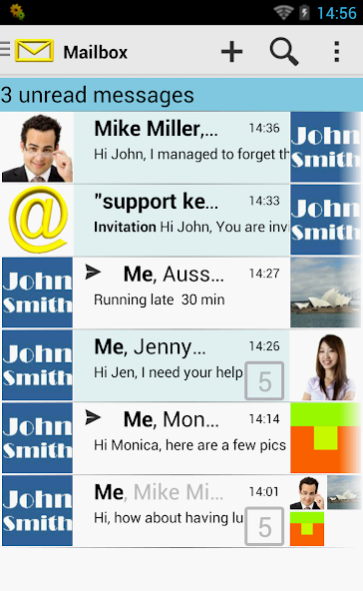
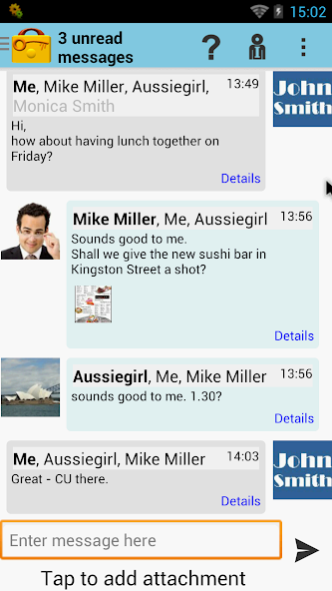
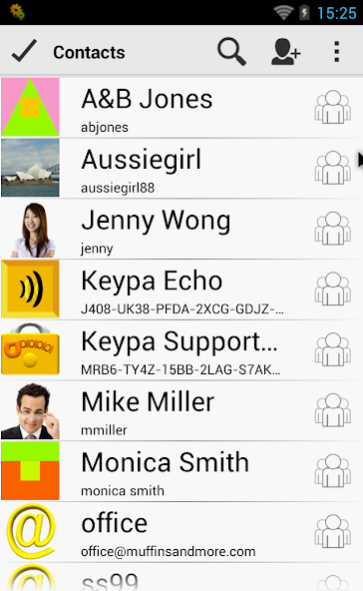
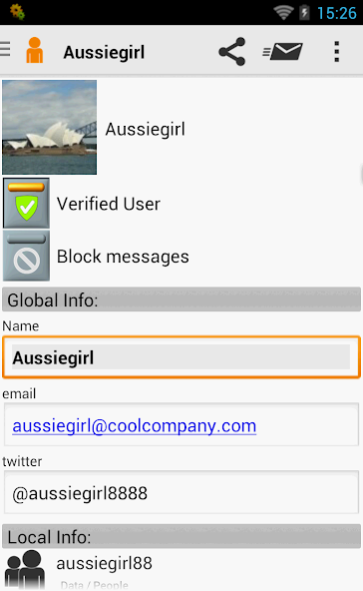
• data safe;
• password manager,
• secure web browser and
• encrypted messenger.
All data is kept
securely end-to-end encrypted with AES-256 and RSA
. On your device – when transmitted - on our servers.
Messages can only be accessed by sender and receiver.
Even we as the server operator have absolutely no way to read your data and messages.
KEY FEATURES:
DATA SAFE
• Easy password manager.
• Flexible categories for logins, bank data, credit cards and more.
• Store images, files, audios and videos like MP3, MP4, avi, …
• Generate secure password.
• Login to websites with ease.
• Photo viewer
• Video player
MESSENGER
• attach pictures, files, audios and videos
• create group chats
• send records from data safe
• send messages via email
• import device contacts (optional – only if you want to)
• receive emails directly into Keypa and hide it securely encrypted
BROWSER
• Deletes cookies.
• Clears cache on exit.
• Download websites, photos, audios and videos like MP3, MP4, avi.
• Simultaneous downloads.
SYNC AND SHARE
• Effortless file syncing across multiple devices.
• Share data like passwords, logins, photos with family and friends.
• Multiple Keypa files to keep data from different projects separated.
• Web access to Keypa messages.
SECURITY and SAFETY
• AES-256 and RSA encryption.
• End-to-end encryption. Your data is stored encrypted on your devices, when transmitted, and on our servers.
• For extra security our servers are hosted in Germany.
• We don’t store or transmit your passphrase to guarantee we never have access to your data. All data is stored securely encrypted. Your passphrase is the only way to access it.
This gives you the certainty that we can never disclose your data to anyone.
SYNC PACKAGES
You can use Keypa any time on any device for free.
With a sync package ($9.90 per year incl. 1 GB data ) you can
• Sync across unlimited devices
• Access your data from any PC, Android phone and tablet
• Keep a secure server backup
• Exchange secure messages
• Receive E-Mails into your Keypa Box
To learn more about Keypa Sync packages visit https://www.keypa.mobi/en/Shop.aspx
PRIVACY
We don’t connect your data with any device ID, email address (unless you explicitly ask for it) or similar. We take your privacy seriously.
About Keypa Data Safe and Messenger
Keypa Data Safe and Messenger is a free app for Android published in the PIMS & Calendars list of apps, part of Business.
The company that develops Keypa Data Safe and Messenger is Aurita. The latest version released by its developer is 1.0 .
To install Keypa Data Safe and Messenger on your Android device, just click the green Continue To App button above to start the installation process. The app is listed on our website since 2019-09-09 and was downloaded 0 times. We have already checked if the download link is safe, however for your own protection we recommend that you scan the downloaded app with your antivirus. Your antivirus may detect the Keypa Data Safe and Messenger as malware as malware if the download link to com.TerraPocket.Parole.Free is broken.
The company that develops Keypa Data Safe and Messenger is Aurita. The latest version released by its developer is 1.0 .
To install Keypa Data Safe and Messenger on your Android device, just click the green Continue To App button above to start the installation process. The app is listed on our website since 2019-09-09 and was downloaded 0 times. We have already checked if the download link is safe, however for your own protection we recommend that you scan the downloaded app with your antivirus. Your antivirus may detect the Keypa Data Safe and Messenger as malware as malware if the download link to com.TerraPocket.Parole.Free is broken.
How to install Keypa Data Safe and Messenger on your Android device:
- Click on the Continue To App button on our website. This will redirect you to Google Play.
- Once the Keypa Data Safe and Messenger is shown in the Google Play listing of your Android device, you can start its download and installation. Tap on the Install button located below the search bar and to the right of the app icon.
- A pop-up window with the permissions required by Keypa Data Safe and Messenger will be shown. Click on Accept to continue the process.
- Keypa Data Safe and Messenger will be downloaded onto your device, displaying a progress. Once the download completes, the installation will start and you'll get a notification after the installation is finished.
Program Details
System requirements
Operating systems
Android
Download information
File size
N/A
Total downloads
0
Pricing
License model
Free
Price
Version History
Here you can find the changelog of Keypa Data Safe and Messenger since it was posted on our website on 2013-08-22. The latest version is and it was updated on Apps112 on 13 October, 2026. See below the changes in each version:
version
posted on 2019-09-09
Updates and bug fixes
version 4.0.7
posted on 2017-12-06
Bug fixes
version 3.8.2
posted on 2015-12-09
New unlock option: Android watch.,Improved "Add field" option.
version 1.7
posted on 2012-07-03
Several fixes and updates
Disclaimer
Official Google Play Link
We do not host Keypa Data Safe and Messenger on our servers. We did not scan it for viruses, adware, spyware or other type of malware. This app is hosted by Google and passed their terms and conditions to be listed there. We recommend caution when installing it.
The Google Play link for Keypa Data Safe and Messenger is provided to you by apps112.com without any warranties, representations or guarantees of any kind, so access it at your own risk.
If you have questions regarding this particular app contact the publisher directly. For questions about the functionalities of apps112.com contact us.
